I was reading the article on msn here
It goes on to talk about wants vs needs, if you want something now what are the chances you'll want it in a year.
I was suddenly struck with the thought, what about "frugal programming" what i mean is, how do you decide what you NEED programs for and what you WANT programs for.
Lets break it down, sometimes I'm doing something repetitive and think I need a program, but in order to write this program it'll take say 4 hours to write and 2 hours to run, but just doing the actual work would take 4 hours.
Which is more valuable? Being able to complete the repetitive task in an efficient manner makes it more of a benefit. In addition getting more practice will definitely make you a better employee.
The problem is you look at it as a "right now" situation. The fact is you need to finish this task as quickly as possible, and you just get something working for this situation and forget about it.
What often happens is you write a program (such as the one above) for a one time task, but you never label it and stick it somewhere that you KNOW you'll find it in the future. Now that time you spent was more in the direction of wasted. Because if the task comes up again you'll either have to spend an hour searching for the program, or you'll have to spend the time re-writing it.
So what I'm trying to say is being a frugal programmer is being a programmer who can reuse what they do in as many way's as possible as to get as much value out of the "item" as you can.
If you don't have some sort of organization you'll forever be repeating work and doings over and over again until you finally sit down and say I'M GOING TO GET ORGANIZED and literally do it.
So far I've been working on a form of organization, it's tough though, because I might write one thing in C, one in perl and another in visual basic, but I have no means of correlating what they are to it. All my programs are stuffed in a folder called programs, and sorted by language.
I just recently came up with a plan (literally about 12 seconds ago), if I put a list of keywords that this particular program could be used for, or describing it in the header, I can write a script that will find all keywords and programs, so if I do a search I might be able to find things quicker.
Until I literally implement it, let me know how you organize your information/programs/data.
Monday, October 26, 2009
First Hosting
Where was your first webpage ever hosted?
With the news that Yahoo has finally killed off GEOCITIES, I immediately recalled 8th grade and sitting in front of the old macintosh's in the library at school using the blink tag and animated gifs.
I still use angelfire, but that's for the time being.
Let me know what you use(ed), and your best gif!!
With the news that Yahoo has finally killed off GEOCITIES, I immediately recalled 8th grade and sitting in front of the old macintosh's in the library at school using the blink tag and animated gifs.
I still use angelfire, but that's for the time being.
Let me know what you use(ed), and your best gif!!


Wednesday, October 21, 2009
Arcade Challenge: Max RPM Pt I
So I was going to garage sales last saturday and I picked up this beauty.

Its called Max RPM, by Bally Midway, it appears to have been released in 1986.
What I was told by the previous owner is that he received it as part of payment of a debt from someone. He was told it worked, and it turns out it didn't work.
I decided this would be my "car" Man Project. You know how guys have that car or woodworking project in the garage to work on when they need some time alone, this will be mine.
The Arcade came with the schematics needed to get all the wires hooked up right and working.

First I powered it up just to see if it worked, the screen powered up but no video, so I needed to investigate.
When I opened it up I found a few things.

This board wasn't hooked up whatsoever and it looked important.

When I looked around a bit I found this mess, looks like someone cut off the connector. It's ok I have the schematics, I decided that rather then wait around for a connector (Ok, too impatient because I thought this might be the only problem) I soldered them on to the male pins of the board above.
Well I have power going to the boards and I can even hear feedback on the speakers.
 Next I wanted to tackle the lights in the front, I really like the $.25 lights because they just remind me of playing in the arcade when I was growing up, once i got power going from the above work, I measured and it looked like there was 14V across the bulbs, thinking that most cars were similar I found some car light bulbs that looked pretty close and plugged them in and Voila we were in business.
So what it looks like I have left for this project is outlined below:

I also found some tokens in there as well as the key and lock to the back of the unit, the guy i bought it from lost the key to the front so I had to remove it from the inside, I can get it replaced when I finish up, but no sense in doing it until I'm ready.
Total Costs involved:
Purchased for....$10.00
Fuses.............$02.50
-------------------------
$12.50
I'll keep updating costs and detailing what I find out as I go along, keep following as I finish this project.
If you know anyone who has an Arcade that doesn't work that would like to get rid of it, maybe I'll be able to feature it here!

Its called Max RPM, by Bally Midway, it appears to have been released in 1986.
What I was told by the previous owner is that he received it as part of payment of a debt from someone. He was told it worked, and it turns out it didn't work.
I decided this would be my "car" Man Project. You know how guys have that car or woodworking project in the garage to work on when they need some time alone, this will be mine.
The Arcade came with the schematics needed to get all the wires hooked up right and working.

First I powered it up just to see if it worked, the screen powered up but no video, so I needed to investigate.
When I opened it up I found a few things.

This board wasn't hooked up whatsoever and it looked important.

When I looked around a bit I found this mess, looks like someone cut off the connector. It's ok I have the schematics, I decided that rather then wait around for a connector (Ok, too impatient because I thought this might be the only problem) I soldered them on to the male pins of the board above.
Well I have power going to the boards and I can even hear feedback on the speakers.
 Next I wanted to tackle the lights in the front, I really like the $.25 lights because they just remind me of playing in the arcade when I was growing up, once i got power going from the above work, I measured and it looked like there was 14V across the bulbs, thinking that most cars were similar I found some car light bulbs that looked pretty close and plugged them in and Voila we were in business.
So what it looks like I have left for this project is outlined below:
- Coin return has cut wires
- Credit button has cut wires
- Florescent tube doesn't appear to be operational
- CRT doesn't display anything or appear to power up.

I also found some tokens in there as well as the key and lock to the back of the unit, the guy i bought it from lost the key to the front so I had to remove it from the inside, I can get it replaced when I finish up, but no sense in doing it until I'm ready.
Total Costs involved:
Purchased for....$10.00
Fuses.............$02.50
-------------------------
$12.50
I'll keep updating costs and detailing what I find out as I go along, keep following as I finish this project.
If you know anyone who has an Arcade that doesn't work that would like to get rid of it, maybe I'll be able to feature it here!
Thursday, October 15, 2009
Google Contacts
How can google make their contact manager more useful for their users (especially Google Voice users)? I have some ideas. Here they go:
Let me know what you think. Do you have any better ideas for Google to use for their contacts manager?
- Shareable groups (I.E. business and spam numbers for example)
- Lookup of your number to see who has your number in their contact list.
- Blockability of your number from any and all contacts in Google.
- For Phone Type it should be labeled Landline and Mobile.
- If you want to list the Attributes/keywords of a number allow that, (kinda already the "groups thing"
- Reverse Phone number lookup across the board, you know google has all that data (most likely) already, why not make it easier. I don't mind a couple ads while I'm trying to find out who just called me.
Let me know what you think. Do you have any better ideas for Google to use for their contacts manager?
Thursday, October 8, 2009
Programming Club
So I read a comment on Jeff Atwoods blog someone made that said
First rule of programming is you DO NOT TALK ABOUT PROGRAMMING.
I got to thinking sometimes working quick on your feet can help you improve your skills
so I looked up the "rules of fight club" which I found here: Rules of Fight Club
So I'm thinking heck why not start a "programming club", you come in and program against one other person. So I'm rewriting the rules for programming club here they are:
1st rule: You do not talk about programming club.
2nd rule: You DO NOT talk about programming club.
3rd rule: If someone says "I can't solve it" or passes out, the match is over.
4th rule: Only two people code at a time.
5th rule: Only one match at a time.
6th rule: No books, No internet.
7th rule: Matches will go on as long as they have to
8th rule: If this is your first night at Programming Club, you HAVE to program.
So the question is Who's in? I'm in the Albuquerque NewMexico area, lets get this started.
Go to my Contact Me Page and lets get started! Contact Me
First rule of programming is you DO NOT TALK ABOUT PROGRAMMING.
I got to thinking sometimes working quick on your feet can help you improve your skills
so I looked up the "rules of fight club" which I found here: Rules of Fight Club
So I'm thinking heck why not start a "programming club", you come in and program against one other person. So I'm rewriting the rules for programming club here they are:
1st rule: You do not talk about programming club.
2nd rule: You DO NOT talk about programming club.
3rd rule: If someone says "I can't solve it" or passes out, the match is over.
4th rule: Only two people code at a time.
5th rule: Only one match at a time.
6th rule: No books, No internet.
7th rule: Matches will go on as long as they have to
8th rule: If this is your first night at Programming Club, you HAVE to program.
So the question is Who's in? I'm in the Albuquerque NewMexico area, lets get this started.
Go to my Contact Me Page and lets get started! Contact Me
Coding Frustration
First, the reason I posted this is because I can't actually comment on the post by Jeff Atwood here:
Coding Horror
What I would like to comment on as well is finding your bugs, or not even so much as bugs as problems in your pseudocode. I'll be the first to admit that more often then not I would rather sit down with the idea in my head and just code it up, and to be honest at this point in my programming career I have been able to do that quite easily. The problem comes when you start hitting harder and harder blocks of code that you need to build and generate.
I know there's been a few times I've been banging my head on a wall trying to get a particular piece of code to work. When I finally have "given up" and go to another engineer to explain the problem, MID SENTENCE I stop and say "wow I'm retarded" followed by, there is the problem, and most of the time the other engineer didn't even get a chance to say something.
What does that tell you? Recall that sometimes learning things requires more then once sense? I have found that occasionally hearing the pseudo code that I've written can often times improve my understanding of the problem I'm trying to solve, or even the implementation I'm using to solve it.
In fact, sometimes even attempting to blog about the problem brings about different ways of looking at the problem, take a look at my problem where I wanted to grab filenames from selected files!
Windows Selected File Names pt I Posted: Thursday May 28th
Windows Selected File Names pt II Posted: June 8th
Windows Selected File Names pt III
I had been mulling part 1 over for a while, and finally when I got a working solution, I wrote it up, and not 11 days later I managed to find another (and better IMHO) solution and get it working.
Give it a try next time youre having problems debugging or finding a good algorithm, use another sense.
Let me know how it works out!
Coding Horror
What I would like to comment on as well is finding your bugs, or not even so much as bugs as problems in your pseudocode. I'll be the first to admit that more often then not I would rather sit down with the idea in my head and just code it up, and to be honest at this point in my programming career I have been able to do that quite easily. The problem comes when you start hitting harder and harder blocks of code that you need to build and generate.
I know there's been a few times I've been banging my head on a wall trying to get a particular piece of code to work. When I finally have "given up" and go to another engineer to explain the problem, MID SENTENCE I stop and say "wow I'm retarded" followed by, there is the problem, and most of the time the other engineer didn't even get a chance to say something.
What does that tell you? Recall that sometimes learning things requires more then once sense? I have found that occasionally hearing the pseudo code that I've written can often times improve my understanding of the problem I'm trying to solve, or even the implementation I'm using to solve it.
In fact, sometimes even attempting to blog about the problem brings about different ways of looking at the problem, take a look at my problem where I wanted to grab filenames from selected files!
Windows Selected File Names pt I Posted: Thursday May 28th
Here my solution was to take any particular selected file and simply append it to the clipboard. The problem with this one is it ran the script the same number of times that there were files, this isn't a very efficient way to solve this.
Windows Selected File Names pt II Posted: June 8th
Here my solution required a "copy" to the clipboard, then right clicking on one file and running the script. I still believe there are too many steps, but it's more efficient (I suppose for smaller files but larger sets) to simply copy the file to the clipboard then using the clipboard contents extract the filenames from the path.
Windows Selected File Names pt III
Someday I would like to have a pt III that shows how to use the "currently selected items" that I KNOW has to exist in windows and simply right click and that will determine the filenames, in my opinion that will be the best way to do it.
I had been mulling part 1 over for a while, and finally when I got a working solution, I wrote it up, and not 11 days later I managed to find another (and better IMHO) solution and get it working.
Give it a try next time youre having problems debugging or finding a good algorithm, use another sense.
Let me know how it works out!
Wednesday, October 7, 2009
Microprocessors 10/1/09 -> 10/7/2009
Here are the in class examples that we've covered in class since the 28th
Revised Blink LED's
Branch And Link
Fibonacci using Stacks
Good luck and let me know if you have any questions!
Revised Blink LED's
Branch And Link
Fibonacci using Stacks
Good luck and let me know if you have any questions!
Tuesday, September 29, 2009
Microprocessors 9-28-09
In class today we reviewed the LED problem from last class, then we moved on to rs232 programming.
The updated and working LED program Dr. Pollard wrote is located here: the only difference is nop's
The link to the in class exercise is here:
Basically what we reviewed was receiving data in the RX FIFO, as well as spitting that data back out in the TX FIFO
The updated and working LED program Dr. Pollard wrote is located here: the only difference is nop's
The link to the in class exercise is here:
Basically what we reviewed was receiving data in the RX FIFO, as well as spitting that data back out in the TX FIFO
Friday, September 25, 2009
Microprocessors 9-24-2009
I've got the in class posted here:
Things to remember:
a 1 written to the offset of 4 to the memory location of the LED's tells the DDR it's in "input mode" a 0 written tells it its in output mode.
Writing to the DREG will turn the LED's On or Off once you put the register in output mode.
Note: the above program wasn't working in class, I'll be posting an updated version tonight that works (somewhat different then the version we did in class)
Here is the updated file that works, here:
One thing to note is that you'll want to copy and paste the contents of these files into a new file, I had issues getting it to compile until I just copied over.
DDR means Data Direction Register.
DREG means Data Register.
Things to remember:
a 1 written to the offset of 4 to the memory location of the LED's tells the DDR it's in "input mode" a 0 written tells it its in output mode.
Writing to the DREG will turn the LED's On or Off once you put the register in output mode.
Note: the above program wasn't working in class, I'll be posting an updated version tonight that works (somewhat different then the version we did in class)
Here is the updated file that works, here:
One thing to note is that you'll want to copy and paste the contents of these files into a new file, I had issues getting it to compile until I just copied over.
DDR means Data Direction Register.
DREG means Data Register.
Sunday, September 20, 2009
Microprocessors 9-17-2009
The ECE 344 Microprocessors in class examples will be posted here:
The example below takes a list of 1000 numbers generated from a random number generator from 0-10,000, then in groups of 0-999, 1000,-1999, 2000....
Oddly enough, the spacing on the blog doesn't take so all the lines are left aligned, sorry.
The example below takes a list of 1000 numbers generated from a random number generator from 0-10,000, then in groups of 0-999, 1000,-1999, 2000....
# in class 9_17
# work on comparison and branch commands
.org 0x100
# clear out registers
li r1, 0
li r2, 0
li r3, 0
li r4, 0
li r5, 0
li r6, 0
li r7, 0
li r8, 0
li r9, 0
li r10, 0
li r11, 0x200
li r12, 1000
mtctr r12
loop: lhz r13, 0(r11)
cmpi 3, 0, r13, 999 # P303 for cmpi
bt 13, chk2 # bit 12 is less then, 13 is greater then, bit 14 is equal, 15 summary overflow
addi r1, r1, 1
b nextv
chk2: cmpi 3, 0, r13, 1999
bt 13, chk3 # bit 12 is less then, 13 is greater then, bit 14 is equal, 15 summary overflow
addi r2, r2, 1
b nextv
chk3: cmpi 3, 0, r13, 2999
bt 13, chk4 # bit 12 is less then, 13 is greater then, bit 14 is equal, 15 summary overflow
addi r3, r3, 1
b nextv
chk4: cmpi 3, 0, r13, 3999
bt 13, chk5 # bit 12 is less then, 13 is greater then, bit 14 is equal, 15 summary overflow
addi r4, r4, 1
b nextv
chk5: cmpi 3, 0, r13, 4999
bt 13, chk6 # bit 12 is less then, 13 is greater then, bit 14 is equal, 15 summary overflow
addi r5, r5, 1
b nextv
chk6: cmpi 3, 0, r13, 5999
bt 13, chk7 # bit 12 is less then, 13 is greater then, bit 14 is equal, 15 summary overflow
addi r6, r6, 1
b nextv
chk7: cmpi 3, 0, r13, 6999
bt 13, chk8 # bit 12 is less then, 13 is greater then, bit 14 is equal, 15 summary overflow
addi r7, r7, 1
b nextv
chk8: cmpi 3, 0, r13, 7999
bt 13, chk9 # bit 12 is less then, 13 is greater then, bit 14 is equal, 15 summary overflow
addi r8, r8, 1
b nextv
chk9: cmpi 3, 0, r13, 8999
bt 13, chk10 # bit 12 is less then, 13 is greater then, bit 14 is equal, 15 summary overflow
addi r9, r9, 1
b nextv
chk10: addi r10, r10, 1
b nextv
nextv: addi r11, 0x2
bdnz loop
nop
here: b here
Oddly enough, the spacing on the blog doesn't take so all the lines are left aligned, sorry.
Wednesday, September 16, 2009
Speeding things up
When designing a program (in this case Visual Basic) you typically want to think of speed for the end user. What can and does end up happening is the programmer trys to test everything to make sure it's valid before giving it to the user.
For example, let's say you want to add a list of files to a filebox, that down the line the user will be using to open the files and use. There are a couple of things to think about here, we can load the files in the filebox and just let the user have at them, this can pose a potential problem if the file doesn't exist when you try to open it, rather then check each file as you add it to the file box, and make sure it exists first. You can do the check on each file as you attempt to open it, this way if the user only ends up using 5 files out of the entire box for this duration you only check to see that 5 files exist, rather then say the 100 other ones that they didn't use.
Another thing to do is let the user attempt to do certain actions if the action succeeds then continue on your way, but if the action fails rather then posting an error and stopping the program essentially, you just notify the user hey that action didn't work but here is what we're doing to recover from it, this thought alone can save you boatloads of time as well, rather then having to check each corner case, allow the user/program to do something that might cause an error, and simply know how to recover.
Aside from optimizing your code to reduce the number of checks how are you speeding things up for the end user?
For example, let's say you want to add a list of files to a filebox, that down the line the user will be using to open the files and use. There are a couple of things to think about here, we can load the files in the filebox and just let the user have at them, this can pose a potential problem if the file doesn't exist when you try to open it, rather then check each file as you add it to the file box, and make sure it exists first. You can do the check on each file as you attempt to open it, this way if the user only ends up using 5 files out of the entire box for this duration you only check to see that 5 files exist, rather then say the 100 other ones that they didn't use.
Another thing to do is let the user attempt to do certain actions if the action succeeds then continue on your way, but if the action fails rather then posting an error and stopping the program essentially, you just notify the user hey that action didn't work but here is what we're doing to recover from it, this thought alone can save you boatloads of time as well, rather then having to check each corner case, allow the user/program to do something that might cause an error, and simply know how to recover.
Aside from optimizing your code to reduce the number of checks how are you speeding things up for the end user?
Wednesday, September 9, 2009
IT lockdown
IT lockdown at school got you down?
Check out the below link
http://portableapps.com/
I'm using notepad++ rather then notepad and vim!!!
Also I installed Firefox, winmerge and putty.
So why the collection of files?
Working out of my pendrive and compiling and doing other work is rather slow and doesn't work well in these labs.
Using WinMerge makes sure that and changes I make to the local copy can be verified and merged into the ones on my pen drive (So what I like to keep my old files)
Using Notepad++ is just nicer then using regular old notepad, and well you cant actually install notepad++ on the local machines so this gets around it.
Of course firefox, because I'm not an IE fan at all
and putty incase I have my server at home on and i want to SSH into it (not sure if SSH is blocked on these machines yet.
I can't even us the windows key and R to run the calculator... it just says that that has been locked down, want to know what day it will be on the 24th of december, no such luck looking at the calendar is locked down as well....terrible!!!
I'll update this post as I come up with more "workarounds" for this lab,
Check out the below link
http://portableapps.com/
I'm using notepad++ rather then notepad and vim!!!
Also I installed Firefox, winmerge and putty.
So why the collection of files?
Working out of my pendrive and compiling and doing other work is rather slow and doesn't work well in these labs.
Using WinMerge makes sure that and changes I make to the local copy can be verified and merged into the ones on my pen drive (So what I like to keep my old files)
Using Notepad++ is just nicer then using regular old notepad, and well you cant actually install notepad++ on the local machines so this gets around it.
Of course firefox, because I'm not an IE fan at all
and putty incase I have my server at home on and i want to SSH into it (not sure if SSH is blocked on these machines yet.
I can't even us the windows key and R to run the calculator... it just says that that has been locked down, want to know what day it will be on the 24th of december, no such luck looking at the calendar is locked down as well....terrible!!!
I'll update this post as I come up with more "workarounds" for this lab,
Friday, September 4, 2009
Alien Language
Alien Language Problem from CodeJam 2009, I solved this one pretty quickly but ran out of time on the other two (time meaning, I wanted to sleep since I work 36ish hours a week and go to school 11 credits)
If you don't want to see the solution (in perl) don't look at my code, but here it is I'll explain it below.
Quick overview of the problem:
If you don't want to see the solution (in perl) don't look at my code, but here it is I'll explain it below.
Quick overview of the problem:
The first line of input contains 3 integers, L, D and N separated by a space. D lines follow, each containing one word of length L. These are the words that are known to exist in the alien language. N test cases then follow, each on its own line and each consisting of a pattern as described above. You may assume that all known words provided are unique.My solution:
while (chomp($read_line = <>))
{
@settings = split(/\s/, $read_line);
for ($i = 0; $i < $settings[1]; $i++)
{
chomp($item = <>);
push(@items, $item);
}
for ($i = 0; $i < $settings[2]; $i++)
{
chomp($testCase = <>);
$counter = 0;
foreach $word (@items)
{
$testCase =~ s/\(/\[/g;
$testCase =~ s/\)/\]/g;
if ($word =~ m/$testCase/i)
{
$counter++;
}
}
$caseNumber = $i + 1;
print "Case #$caseNumber: $counter\n";
}
}
Basically we grab the first line, and look for the 3 numbers, grab the second one to determine the number of lines we drop down for our test cases, then the 3rd number to grab the actual tests, then we just make it a regular expression, worked pretty quick, I know at least on the large dataset I had over 3:41 remaining, (maybe more) from when I downloaded it, to when I completed the upload. Worked pretty quick
Wednesday, September 2, 2009
Google Books
So I was attempting to find alternate resources rather then spend $170 on a book this semester I tried using the internet. After doing a little searching I found this book:

 Which led me to finding a particular example of a site using javascript to generate a little table of books, after looking at it, I can simply use that java scripting to generate the link to books, I decided to try the book we're using in class and what do you know, there is a limited preview here:
That's kinda neat, so basically a guy could write a script that grabs all the isbns from a particular csv file and format a page that looks something like this.
Test Page
Take a look at the source and see what you can do with it.
Source Pulled from this site: Google Example Dynamic Links
Which led me to finding a particular example of a site using javascript to generate a little table of books, after looking at it, I can simply use that java scripting to generate the link to books, I decided to try the book we're using in class and what do you know, there is a limited preview here:That's kinda neat, so basically a guy could write a script that grabs all the isbns from a particular csv file and format a page that looks something like this.Test Page
Take a look at the source and see what you can do with it.
Source Pulled from this site: Google Example Dynamic Links
Tuesday, September 1, 2009
ECE 321 Electronics
Unfortunately I am not currently posting notes on this subject as it is so widely posted across the internet, but the book we are using is below:
Analysis and Design of Digital Integrated Circuits
Analysis and Design of Digital Integrated Circuits
ECE 344: Microprocessors
Microprocessors 9/17
The example below takes a list of 1000 numbers generated from a random number generator from 0-10,000, then in groups of 0-999, 1000,-1999, 2000....Microprocessors 9/24
Things to remember:Microprocessors 9/28
a 1 written to the offset of 4 to the memory location of the LED's tells the DDR it's in "input mode" a 0 written tells it its in output mode.
In class today we reviewed the LED problem from last class, then we moved on to rs232 programming.Microprocessors 10/1-10/7
Here are the in class examples that we've covered in class since the 28thHow to Microprocessor
For someone that walks into this lab unprepared it can look like a lot, but for some that's a challenge and for other's that's an active barrier, rather then choosing to be prepared for it, you just walk through and hope for the best.Design and Programming..a Love affair
If you design your project well, looking at all possibilities up front without coding a single thing you can catch some problems up front that you may run into. One of those may cause messy or unneeded code! That's again the beauty of the artist they can choose whether they want to keep repainting the exact same thing or really go out there and paint something new!Concepts, the Leonardo of Programming
If you don't understand "what" you're trying to do, it's going to be very difficult to write code and/or tests for it.Syntax
Syntax doesn't require a whole lot of explaining. Mainly get a good source of information that you can understandTroubleshooting
In comes typical troubleshooting without a debugger, normally you stick some print statements in there and wait for the print fest to begin.
Sunday, August 23, 2009
Mountain Talks: Guitar Hero
My wife and a friend of mine civis_smith go hiking as many Saturdays as we can manage to stay motivated enough to do. While we hike my wife listens to music while we chat any and all subjects. One subject that comes up time and again is basically how can we stay motivated.
We constantly "claim" we LOVE to do a particular thing, but time and again we find that we manage to avoid that area not because we want to, but more out of pure laziness. It's alot easier to sit down and watch tv, or play guitar hero.
While we were talking about that I began to say some words that have come to haunt me, why is it I can play the EXACT same song on Guitar Hero OVER and OVER trying to become "perfect" at it, yet while studying for a class I do a problem, get it finished (right or wrong doesn't matter at this point) and I'm willing to say, "I did it once that's all I need to do", but why doesn't that hold true for Guitar Hero, I played song x once, that is all I need to do, but I don't I try and try to succeed more and more. I mean I can get a perfect on Guitar Hero and even at that point, rather then saying ok NOW I've managed to do it perfect, I say hmm...I wonder if I can do it 2 times, or heck, why not keep trying to do it until I get it perfect EVERY time.
Now Mr. Smith and I have begun to use Guitar Hero as a constant reminder to do what we love, and not to just stop after doing something once, but to keep doing it over and over until we can do it perfect, and if we've managed to do it perfect, shoot go for perfect EVERY time.
So my goal for this semester is not to submit to this laziness, but rather then thinking about things as "passive" and "active" barriers to what I want to do, I'm going to be proactive about everything, no more sitting around and saying ahhh I need to relax, fine I can relax but rather then relax doing something I many times have come to loathe, I will "relax" doing something I'm passionate about.
Let me know what keeps you out of ruts, and what keeps you reaching for your passion and never giving up, or even what your stumbling blocks are.
We constantly "claim" we LOVE to do a particular thing, but time and again we find that we manage to avoid that area not because we want to, but more out of pure laziness. It's alot easier to sit down and watch tv, or play guitar hero.
While we were talking about that I began to say some words that have come to haunt me, why is it I can play the EXACT same song on Guitar Hero OVER and OVER trying to become "perfect" at it, yet while studying for a class I do a problem, get it finished (right or wrong doesn't matter at this point) and I'm willing to say, "I did it once that's all I need to do", but why doesn't that hold true for Guitar Hero, I played song x once, that is all I need to do, but I don't I try and try to succeed more and more. I mean I can get a perfect on Guitar Hero and even at that point, rather then saying ok NOW I've managed to do it perfect, I say hmm...I wonder if I can do it 2 times, or heck, why not keep trying to do it until I get it perfect EVERY time.
Now Mr. Smith and I have begun to use Guitar Hero as a constant reminder to do what we love, and not to just stop after doing something once, but to keep doing it over and over until we can do it perfect, and if we've managed to do it perfect, shoot go for perfect EVERY time.
So my goal for this semester is not to submit to this laziness, but rather then thinking about things as "passive" and "active" barriers to what I want to do, I'm going to be proactive about everything, no more sitting around and saying ahhh I need to relax, fine I can relax but rather then relax doing something I many times have come to loathe, I will "relax" doing something I'm passionate about.
Let me know what keeps you out of ruts, and what keeps you reaching for your passion and never giving up, or even what your stumbling blocks are.
Tuesday, August 18, 2009
Alarm Clock
I'm not sure how many people even use digital clocks in their room at night anymore to wake them up in the morning, with the advent of the alarm on the cell phone, but here goes, my wife has a digital alarm clock, and I can't stand the brightness at night.
I was thinking that it would be nice to be able to setup the alarm to shut off the display from time x to time y, with a button that you can hit to see the time (turns on the display), but basically the alarm would light up about 10 minutes before you have to get up, and then you will know what time it is,
Additionally, really do we need to know what time it is during the hours we're not at home? why not have the clock setup to shutdown or whatever until the time you get home, heck why not all appliances that can do it (obviously some like the fridge wouldn't work so well), but just have clocks that sync with network time (or something like that) and never have to set a clock again, and never have to see a clock at night again.
Shoot why not add wake on lan to all of them, then setup a website that will send a message to your clock, to turn on and then sound the alarm, there are probably tons of bad reasons why not to do this but ahhh whatever, anyways then if the lan is dead, then the clock just turns on (still keeps it's own time) and the last alarm set would be the new alarm..
I was thinking that it would be nice to be able to setup the alarm to shut off the display from time x to time y, with a button that you can hit to see the time (turns on the display), but basically the alarm would light up about 10 minutes before you have to get up, and then you will know what time it is,
Additionally, really do we need to know what time it is during the hours we're not at home? why not have the clock setup to shutdown or whatever until the time you get home, heck why not all appliances that can do it (obviously some like the fridge wouldn't work so well), but just have clocks that sync with network time (or something like that) and never have to set a clock again, and never have to see a clock at night again.
Shoot why not add wake on lan to all of them, then setup a website that will send a message to your clock, to turn on and then sound the alarm, there are probably tons of bad reasons why not to do this but ahhh whatever, anyways then if the lan is dead, then the clock just turns on (still keeps it's own time) and the last alarm set would be the new alarm..
Saturday, August 15, 2009
New Icon/Image
I created an image so I can point to it, so when someone saves my class search website to their home screen they'll see an icon rather then just a picture of the page, I use the idea from Scott Hanselman's blog
Here is my icon, I'm starting my business slowly, but hey who knows:

Let me know what you think of it, I just kinda threw it together kinda quickly.
If you have any ideas or want to send some submissions, send them to onaclov2000 at gmail dot com.
Thanks for checking it out, I'll post a few more if I think of any.
Here is my icon, I'm starting my business slowly, but hey who knows:

Let me know what you think of it, I just kinda threw it together kinda quickly.
If you have any ideas or want to send some submissions, send them to onaclov2000 at gmail dot com.
Thanks for checking it out, I'll post a few more if I think of any.
Friday, August 14, 2009
Mobility
With todays constant traveling as well as the number of computers the average developer/computer user has, I'm supprised we haven't found a better way to integrate multiple computers as one.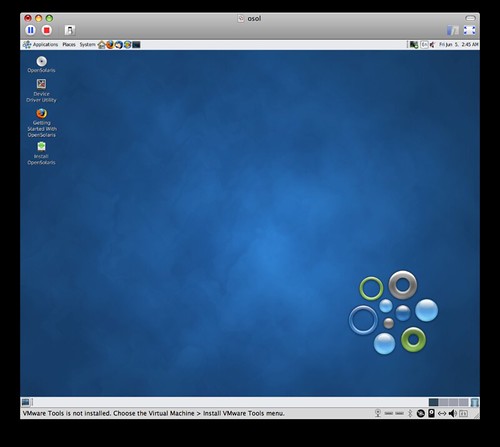
In comes Cloud Computing, where your software is all located in the cloud, that's fine and great but we're still in the old age of working on one computer at a time. Let's say you have a Desktop computer at home, a laptop computer, and a computer at work, now if all these computers can start working in unison, we can do things like tell the laptop to broadcast it's location to your desktop, and if your laptop leaves where the desktop is, have it ask you if you'd like to continue working on what you were, or simply allow that laptop to be an "extension" of your current computer desktop, and literally DRAG your program that you're currently using onto that desktop, now you already have your environment open running and no more "save, shutdown, open wait" business.
Since all the data is stored in the cloud (and I'll assume autosaving is occuring), simply treating each computer as an extension of another we can seamlessly move what we're working on from one computer to another.
So right now linux has the neat function of "multiple desktops" why not setup each desktop as a vnc or something connection, so if we say "send to desktop x" it literally moves the program off your computer (passes off the processing) and into the next desktop (aka computer), now you can access each desktop from each computer, and move from device to device.
Why would we want this, lets say I'm deep into a project and want to continue as I'm on my way to work (say I use the bus), so I drag the program to the new desktop and walk away, I could maybe have things setup to shut down (obviously completely customizable), now I'm on my way to work and keep working on the project, I get to work and transfer directly to my desktop and continue as I finish, now I don't have to worry about closing the program and keeping on re-opening (waiting for programs to load).
What would be interesting if is if processors would continue processing what they are able to, but search for other processors (not on their board), once they find one, they communicate and setup shared processing (heck why waste cycles), now that it's sharing the processing, moving a program from one desktop should be nothing to do.
In comes Cloud Computing, where your software is all located in the cloud, that's fine and great but we're still in the old age of working on one computer at a time. Let's say you have a Desktop computer at home, a laptop computer, and a computer at work, now if all these computers can start working in unison, we can do things like tell the laptop to broadcast it's location to your desktop, and if your laptop leaves where the desktop is, have it ask you if you'd like to continue working on what you were, or simply allow that laptop to be an "extension" of your current computer desktop, and literally DRAG your program that you're currently using onto that desktop, now you already have your environment open running and no more "save, shutdown, open wait" business.
Since all the data is stored in the cloud (and I'll assume autosaving is occuring), simply treating each computer as an extension of another we can seamlessly move what we're working on from one computer to another.
So right now linux has the neat function of "multiple desktops" why not setup each desktop as a vnc or something connection, so if we say "send to desktop x" it literally moves the program off your computer (passes off the processing) and into the next desktop (aka computer), now you can access each desktop from each computer, and move from device to device.
Why would we want this, lets say I'm deep into a project and want to continue as I'm on my way to work (say I use the bus), so I drag the program to the new desktop and walk away, I could maybe have things setup to shut down (obviously completely customizable), now I'm on my way to work and keep working on the project, I get to work and transfer directly to my desktop and continue as I finish, now I don't have to worry about closing the program and keeping on re-opening (waiting for programs to load).
What would be interesting if is if processors would continue processing what they are able to, but search for other processors (not on their board), once they find one, they communicate and setup shared processing (heck why waste cycles), now that it's sharing the processing, moving a program from one desktop should be nothing to do.
Subscribe to:
Posts (Atom)